Now with AutoPilot AI — powered by Claude

Your PC,
on AutoPilot.

The all-in-one automation suite for small businesses and freelancers. Task automation, smart file management, RAM optimization, and more — let PC AutoPilot handle the repetitive work so you don't have to.

Start Free Trial → See How It Works

14-day free trial · No credit card required · Works on Windows 10/11

Pay once. Own it forever.

Every competitor in this category charges an annual subscription. PC AutoPilot doesn't. Here's what that actually means.

$29
One-time price — no renewal, no surprises
$149+
What CCleaner Pro costs over 5 years
14
Day free trial — no credit card required
30
Day money-back guarantee — no questions asked

Five modules. One powerful suite.

Everything you need to automate your PC — no coding, no IT team, no headaches.

Task & Macro Automation

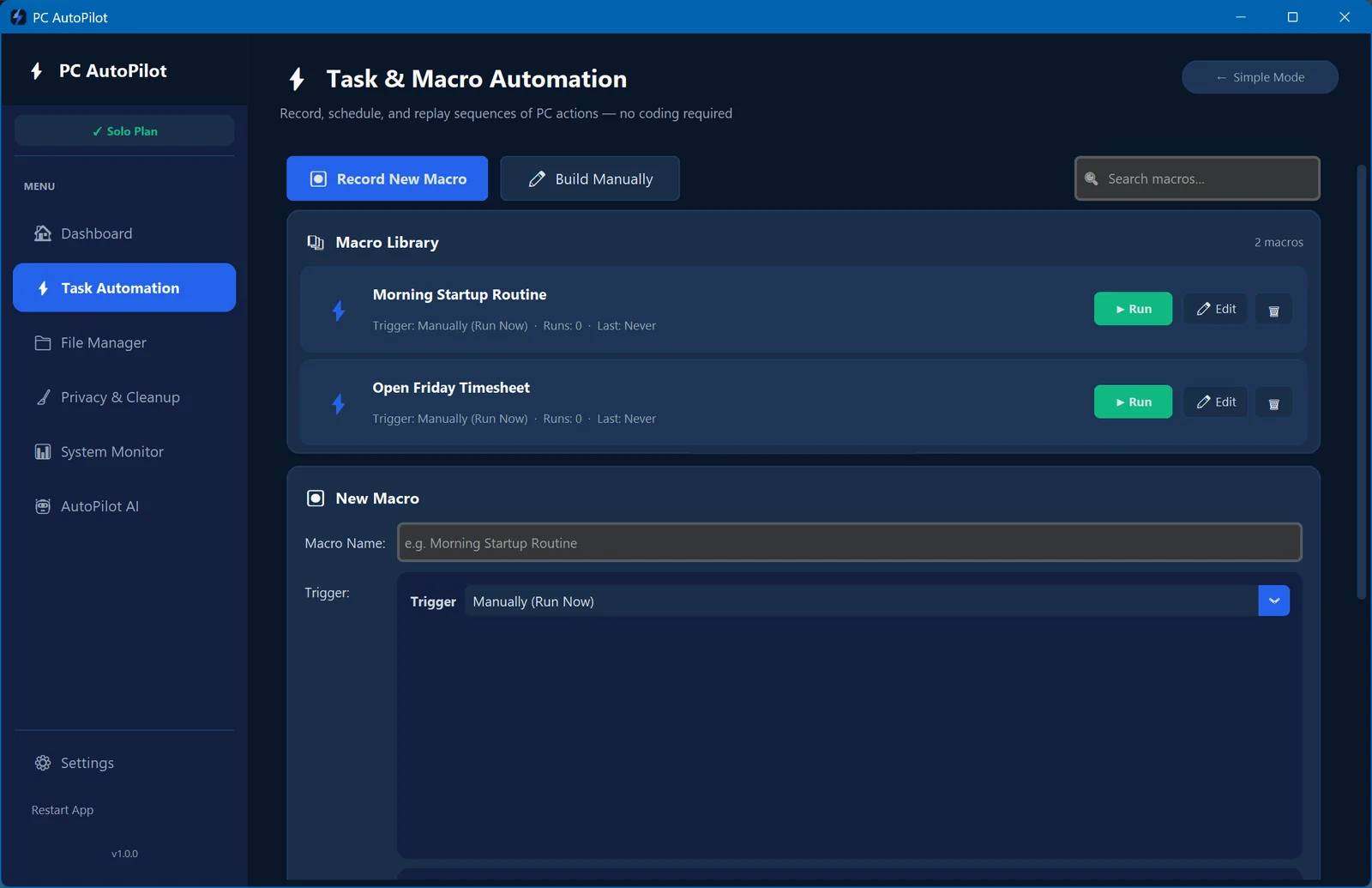
Record any sequence of clicks, keystrokes, or actions — and replay it instantly or on a schedule. No scripting skills needed.

  • Record & replay any action
  • Schedule tasks on a timer
  • Cross-app workflow chains
  • Hotkey triggers
📁

File & Folder Manager

Set rules once — PC AutoPilot keeps your files organized automatically. Detect duplicates, sync backups, rename in bulk.

  • Auto-sort downloads & documents
  • Duplicate file detector
  • Smart backup sync
  • Rule-based renaming
🚀

System Optimizer

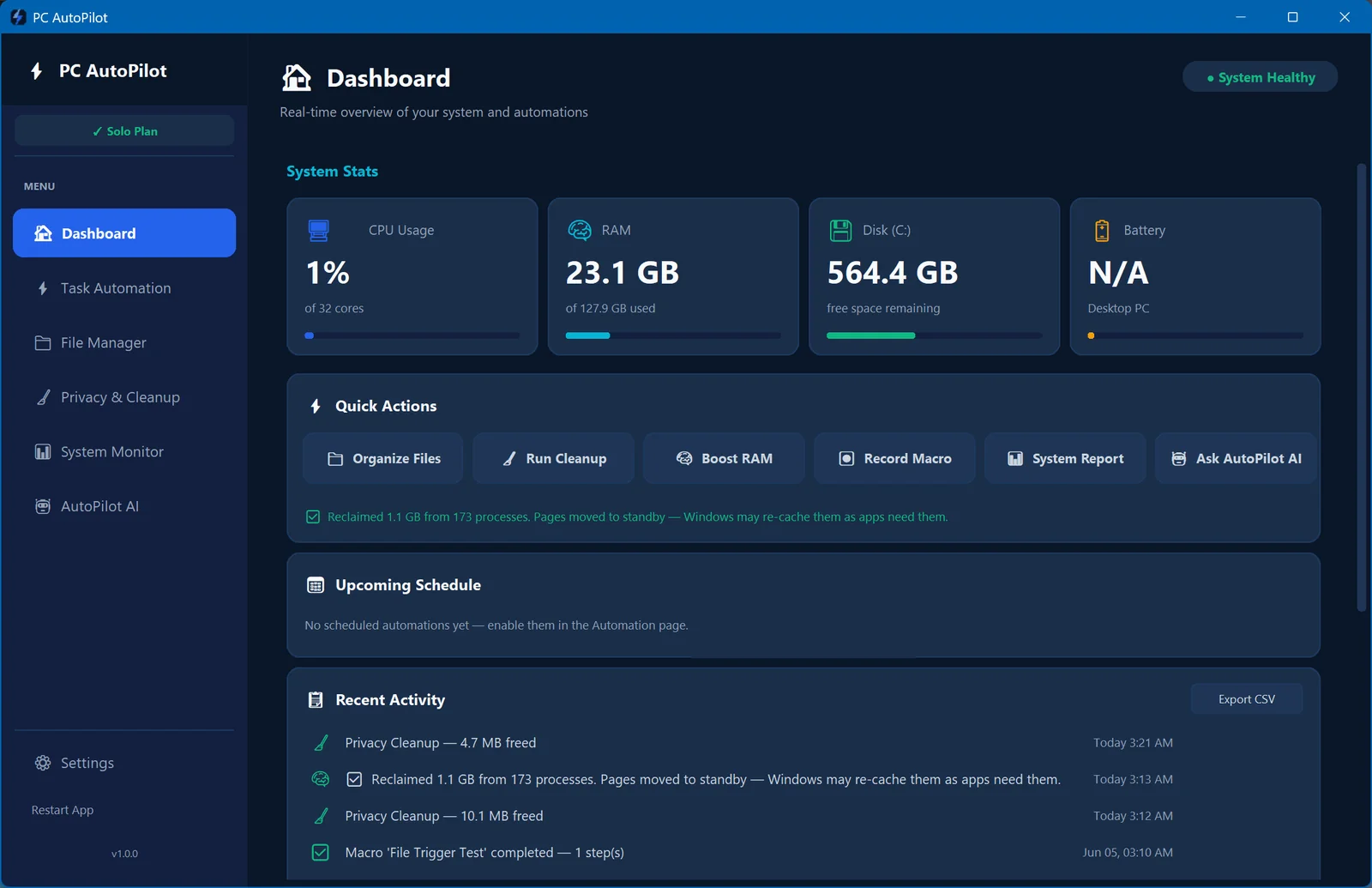
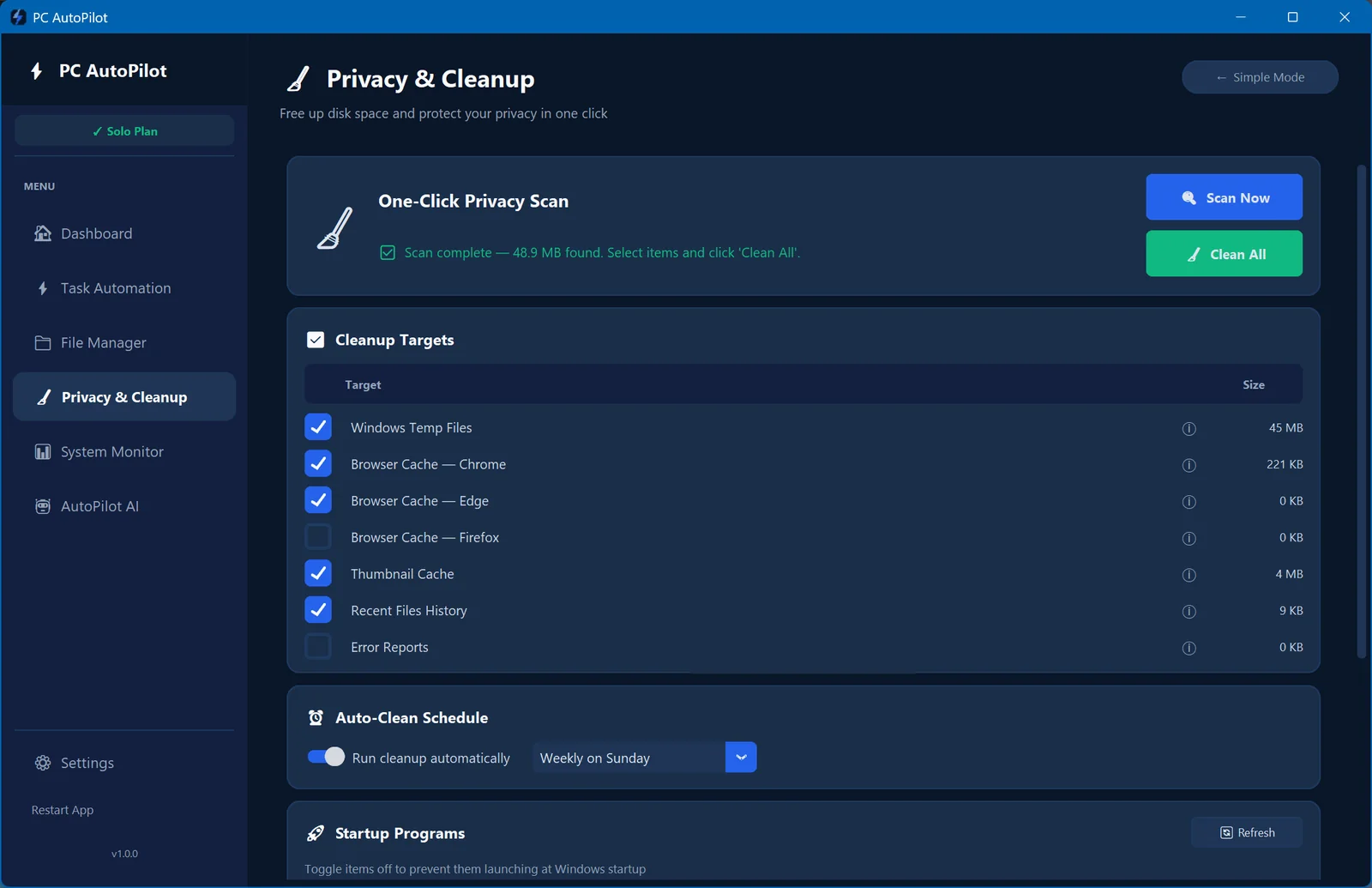
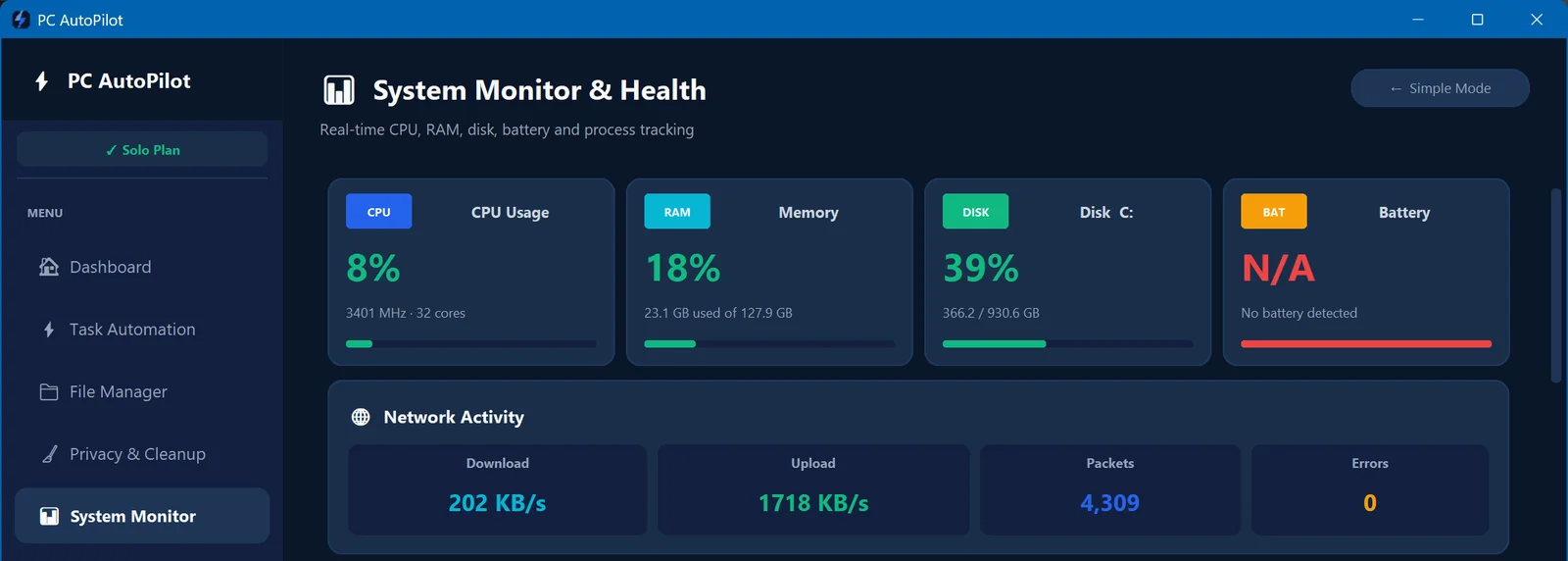
Keep your PC running at peak speed. Clean junk files, manage startup programs, and monitor resource usage in real time.

  • One-click speed boost
  • Junk & temp file cleaner
  • Startup manager
  • RAM & CPU monitor
🧠

RAM Optimizer

One-click RAM boost — flushes inactive memory from background apps without closing them. Frees memory in seconds.

  • One-click memory reclaim
  • Flushes background app bloat
  • No open apps closed
  • Real-time RAM usage graph
🤖

AutoPilot AI

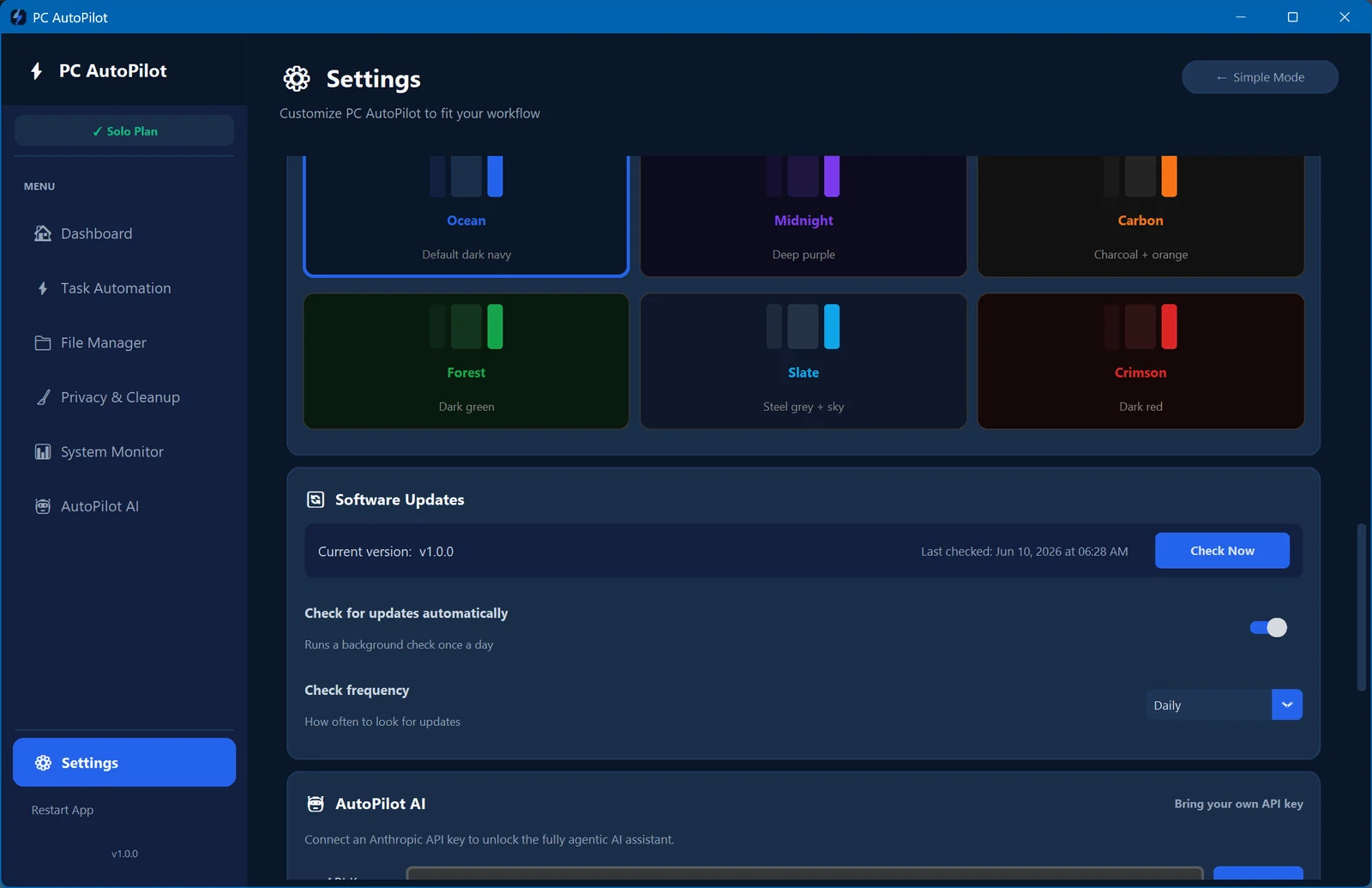
Pro & Team plans · Requires Anthropic API key

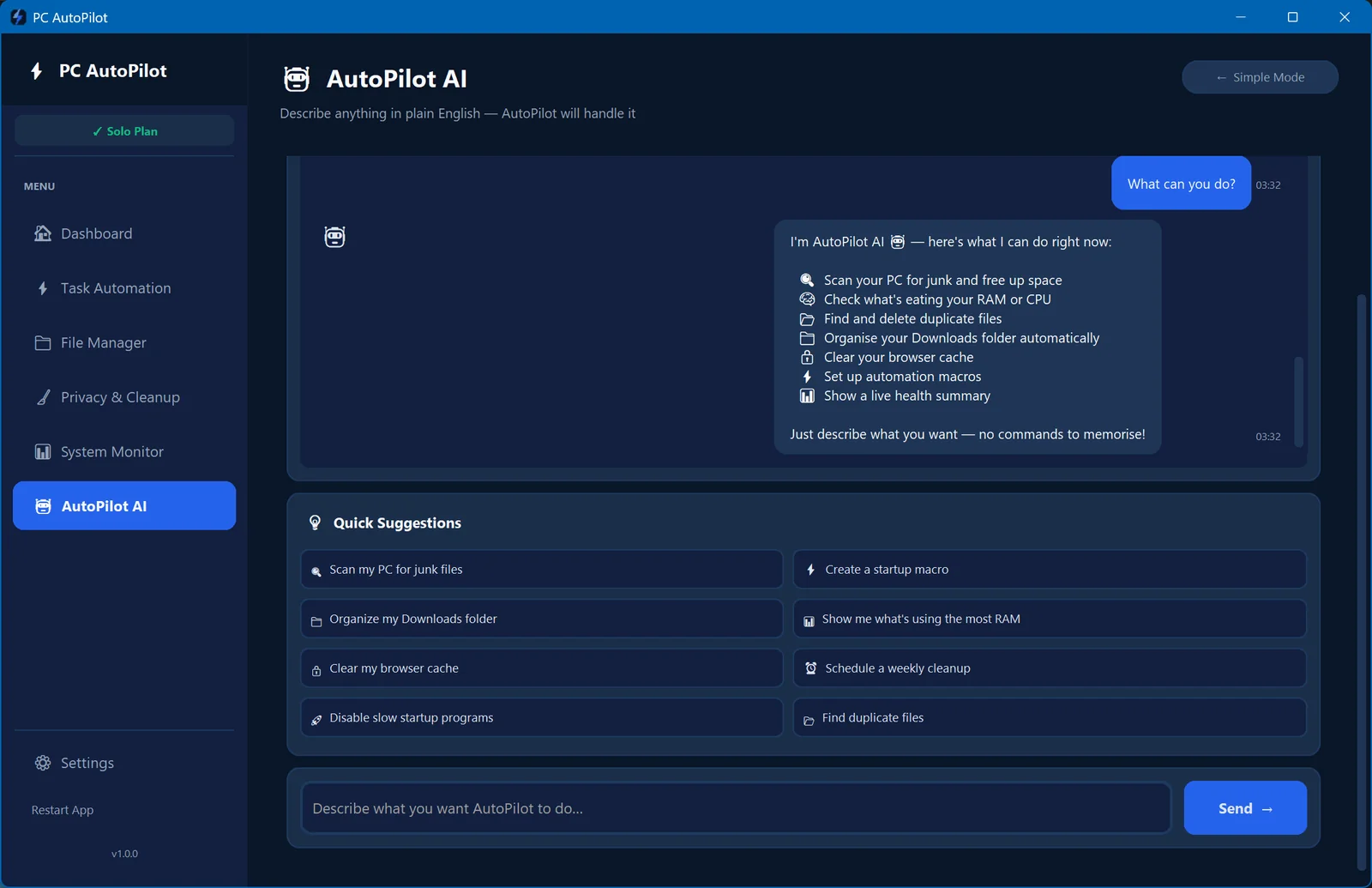
Tell it what you want in plain English. The AutoPilot AI suggests automations, generates macros, and learns your habits over time.

  • Natural language commands
  • Smart workflow suggestions
  • Auto-generates macros
  • Suggests based on context

Up and running in 10 minutes

No IT department. No technical skills. Three steps and your PC starts working for you.

01

Install & Connect

Download PC AutoPilot, install in minutes, and connect your PC. Works out of the box on Windows 10/11.

02

Choose Automations

Pick from pre-built templates or record your own. A point-and-click wizard guides you through setup.

03

Let It Run

Your PC works for you 24/7. Watch your time savings grow in the dashboard and expand anytime.

Simple pricing for every team size

One-time purchase. No subscriptions, no renewals, no surprises. Start free for 14 days — no credit card required.

Solo
Solo
1 PC
$29
One-time purchase · 30-day money-back guarantee

  • All 5 modules
  • RAM Optimizer
  • Unlimited automations
  • Email support
  • Free updates
  • 14-day free trial
Get Started →
Business
Team
Up to 10 PCs
$99
One-time purchase · 30-day money-back guarantee

  • All 5 modules
  • RAM Optimizer
  • AutoPilot AI included
  • 10-machine license
  • Admin dashboard (v1.1)
  • Dedicated support
  • 14-day free trial
Get Started →

Built for people, not IT departments

Everything you'd expect from enterprise automation software — without the complexity or the price tag.

Your files, macros, and automations stay on your machine. No cloud sync, no account required after purchase. Crash reporting is off by default and is fully optional — you decide what we see. Read our privacy policy.

🔒
Privacy First
Local-only. Nothing uploaded.

Pay once and own it. $29 gets you lifetime access on one PC. No monthly fees, no subscription traps, no feature walls. Updates included.

💰
One price, no surprises
One-time purchase. Yours forever.

No scripting, no command lines, no IT knowledge needed. If you can click a mouse and type on a keyboard, you can automate with PC AutoPilot.

🖱️
Built for non-technical users
Point, click, automate.
A
A note from the founder

"I built PC AutoPilot because I was tired of paying CCleaner $30 a year for the same cleanup tool I used a decade ago — and getting less for it every year. PC AutoPilot costs $29 once. It does everything CCleaner does, plus automation, file organization, and AI. I use it on my own machines every day. If it ever doesn't work for you, I'll refund you personally — no forms, no waiting."

Arron Smithson
Founder, PC AutoPilot  ·  hello@pcautopilot.com
30-day money-back guarantee
14-day free trial — no credit card
100% local — your files never leave your PC
No subscription. Ever.
Email support — real person, real answers
Free updates included

Frequently asked questions

Do I need technical skills to use PC AutoPilot? +
No. PC AutoPilot is built for non-technical users. Our point-and-click interface and AutoPilot AI guide you through everything. If you can use a mouse, you can automate with PC AutoPilot.
What operating systems does it support? +
PC AutoPilot currently supports Windows 10 (version 1903 or later) and Windows 11. Mac support is planned for a future release.
Is there a refund policy? +
Yes — every purchase includes a 30-day money-back guarantee. If you're not satisfied for any reason, email us at hello@pcautopilot.com within 30 days of purchase and we'll refund you in full, no questions asked.
Is my data secure? +
Your data never leaves your machine. PC AutoPilot runs entirely locally on your PC. The only network requests are license verification and (optionally) AutoPilot AI — which uses your own Anthropic API key.
What's included in the free trial? +
The 14-day free trial gives you full access to all features — no limits, no credit card required. Trial days only count down on days you open the app. At the end of your trial, you'll be prompted to purchase a license to keep using the app.

Ready to put your PC on AutoPilot?

Ready to stop doing the same PC tasks over and over? Start your free trial today.

Start Free — 14 Days →

No credit card · One-time purchase · 30-day money-back guarantee · Windows 10/11